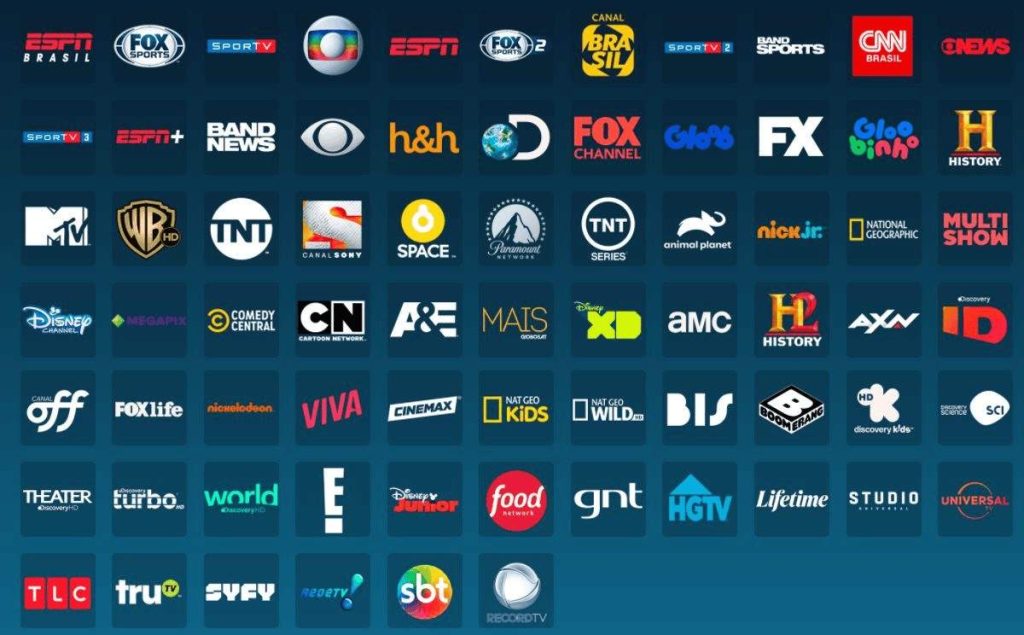
DIRECTV Channels List: Everything You Need to Know About the Lineup
Dave Saenz
Looking for the most up-to-date DIRECTV Channels List and a clear breakdown of what each package actually includes? You’re in the right place. With hundreds of channels covering live sports, breaking news, movies, kids’ programming, and premium entertainment, DIRECTV offers one of the most complete TV experiences available today but knowing which channels you get can be confusing without a proper guide.
In this guide, we’ll walk you through the complete breakdown of the DIRECTV channel lineup, address common questions like what channels are on DIRECTV, and even answer specific queries, such as what channel is ESPN on DIRECTV, what channel is CBS on DIRECTV, or DIRECTV football channel numbers. Whether you’re choosing a new DIRECTV package, switching from cable, or just want to see if your favorite channels are included, this page gives you a clear, updated, and easy-to-navigate overview — all in one place.
Why the DIRECTV Channels List Matters
The DIRECTV channels list isn’t just a basic menu; it’s your all-in-one gateway to endless entertainment. With access to over 330 channels across multiple packages, DIRECTV makes sure there’s something for everyone, from sports enthusiasts and movie lovers to kids and news followers. Whether you’re into premium sports networks, blockbuster movies, or niche lifestyle and educational programming, the DIRECTV channel lineup is designed to match both your lifestyle and budget.
Another major benefit is that the lineup is constantly updated to include the latest content. That’s why subscribers often ask questions such as “Does DIRECTV Stream channel lineup have local channels?” or “Is Peacock free with DIRECTV?”. By keeping the channel guide dynamic and versatile, DIRECTV ensures you always stay connected to the shows, events, and networks you love.
This guide brings all of those answers and details together in one place, helping you choose with confidence.
How Do I Get a List of Channels on DIRECTV?
If you’re wondering how do I get a list of channels on DIRECTV, the easiest way is through DIRECTV’s official website, the DIRECTV app, or by checking your on-screen guide.
Channel
#
Ent.
Choice™
Ultimate
Premier™
A&E
265
—
✔
✔
✔
ABC (varies by market)
var.
✔
✔
✔
✔
ACC Network
612
—
✔
✔
✔
AccuWeather
361
✔
✔
✔
✔
AMC
254
✔
✔
✔
✔
American Heroes Channel
287
—
—
✔
✔
Animal Planet
282
✔
✔
✔
✔
Antena 3
458
✔
✔
✔
✔
Aquí
401
✔
✔
✔
✔
Arirang TV
2095
—
—
✔
✔
Atrés Cine
459
—
✔
✔
✔
AXS TV
340
✔
✔
✔
✔
BabyFirst TV
293
✔
✔
✔
✔
BabyTV
425
✔
✔
✔
✔
Bandamax
433
✔
✔
✔
✔
BBC America
264
✔
✔
✔
✔
BBC World News
346
—
—
✔
✔
BET
329
✔
✔
✔
✔
BET Her
330
—
—
✔
✔
Big Ten Network
610
—
✔
✔
✔
Bloomberg TV
353
—
—
—
✔
Boomerang
298
✔
✔
✔
✔
BounceTV
82
—
✔
✔
✔
Bravo
237
✔
✔
✔
✔
BYUtv
374
✔
✔
✔
✔
C-SPAN
350
✔
✔
✔
✔
C-SPAN 2
351
✔
✔
✔
✔
Cartoon Network
296/297
✔
✔
✔
✔
CBS (varies by market)
var.
✔
✔
✔
✔
CBS Sports Network
221
—
—
✔
✔
Cheddar News
354
—
✔
✔
✔
CINEMAX® (various)
515–523
$
$
$
✔
CLEO TV
341
✔
✔
✔
✔
CMT
327
✔
✔
✔
✔
CNBC
355
✔
✔
✔
✔
CNBC World
357
—
✔
✔
✔
CNN
202
✔
✔
✔
✔
CNN en Español
419
✔
✔
✔
✔
CNN International
358
✔
✔
✔
✔
Comedy Central
249
✔
✔
✔
✔
Cooking Channel
232
—
✔
✔
✔
Court TV
4230
✔
✔
✔
✔
Cowboy Channel
603
—
—
✔
✔
COZI
80
—
✔
✔
✔
CTN
376
✔
✔
✔
✔
CW (varies by market)
var.
✔
✔
✔
✔
Daystar
369
✔
✔
✔
✔
Daystar Español
463
✔
✔
✔
✔
Destination America
286
—
—
✔
✔
DIRECTV 4K Live
104/105/106
✔
✔
✔
✔
DIRECTV News Mix
71
✔
✔
✔
✔
Discovery
278
✔
✔
✔
✔
Discovery Family Channel
294
—
—
✔
✔
Disney Channel (East/West)
290/291
✔
✔
✔
✔
Disney Junior
289
✔
✔
✔
✔
Disney XD
292
✔
✔
✔
✔
E!
236
✔
✔
✔
✔
EarthX
267
✔
✔
✔
✔
El Rey Rebel
4229
✔
✔
✔
✔
Enlace
448
✔
✔
✔
✔
ESPN
206
✔
✔
✔
✔
ESPN2
209
✔
✔
✔
✔
ESPNews
207
—
✔
✔
✔
ESPNU
208
—
✔
✔
✔
EWTN
370
✔
✔
✔
✔
Family Movie Channel
314
✔
✔
✔
✔
FOX (varies by market)
var.
✔
✔
✔
✔
Fox Business Network
359
✔
✔
✔
✔
Fox News
360
✔
✔
✔
✔
FS1 (Fox Sports 1)
219
✔
✔
✔
✔
FOX Sports 2
618
—
—
✔
✔
Free Speech TV
348
✔
✔
✔
✔
Freeform
311
✔
✔
✔
✔
FX
248
✔
✔
✔
✔
FXX
259
✔
✔
✔
✔
Galavisión
404
✔
✔
✔
✔
GEB America
363
✔
✔
✔
✔
Golf Channel
218
—
✔
✔
✔
Hallmark Channel
312
✔
✔
✔
✔
HISTORY
269
—
✔
✔
✔
HGTV
229
✔
✔
✔
✔
HLN
204
✔
✔
✔
✔
HSN
240
✔
✔
✔
✔
ION Television
305/306
✔
✔
✔
✔
Lifetime
252
—
✔
✔
✔
Lifetime Movie Network
253
—
✔
✔
✔
Magnolia Network
230
—
—
✔
✔
MAVTV
214
✔
✔
✔
✔
MLB Network
213
—
✔
✔
✔
MSNBC
356
✔
✔
✔
✔
Motor Trend
281
✔
✔
✔
✔
MTV / MTV2
331/332
✔
✔
✔
✔
Music Choice (800–886)
800–886
✔
✔
✔
✔
NBA TV
216
—
✔
✔
✔
NBC (varies by market)
var.
✔
✔
✔
✔
Newsmax
349
✔
✔
✔
✔
NewsNation
307
✔
✔
✔
✔
NFL Network
212
—
✔
✔
✔
NHL Network
215
—
—
✔
✔
Nick Jr.
301
—
✔
✔
✔
Nickelodeon
299/300
✔
✔
✔
✔
Nicktoons
302
—
✔
✔
✔
OWN
279
—
✔
✔
✔
Oxygen True Crime
251
—
—
✔
✔
Paramount Network
241
✔
✔
✔
✔
PBS (varies)
var.
✔
✔
✔
✔
PBS Kids
288
✔
✔
✔
✔
QVC / QVC2 / QVC3
317/315/318
✔
✔
✔
✔
REELZ
238
✔
✔
✔
✔
Science Channel
284
—
✔
✔
✔
Syfy
244
✔
✔
✔
✔
TBN Inspire
371
✔
✔
✔
✔
TBS
247
✔
✔
✔
✔
TNT
245
✔
✔
✔
✔
TruTV
246
✔
✔
✔
✔
TV ONE
328
—
✔
✔
✔
USA Network
242
✔
✔
✔
✔
VH1
330
✔
✔
✔
✔
WWE Network
616
—
—
✔
✔
(many more included nationally)
For the most up-to-date and detailed information, you can always check the official DIRECTV channel lineup pdf. If you’re a fan of drama and teen series, you may wonder what channel CW is on DIRECTV. It’s available nationwide, bringing popular shows to your DIRECTV channel lineup.
Note: Local networks like FOX, CBS, NBC, and CW vary based on location. You can confirm them by entering your ZIP code on DIRECTV’s site.
Sports Channels: Never Miss a Game
For sports lovers, the DIRECTV channels list is a dream come true. Whether you want NFL, NBA, MLB, or college sports, DIRECTV delivers them all.
What channel is ESPN on DIRECTV? → Channel 206
What channel is ESPN Plus on DIRECTV? → ESPN+ isn’t a traditional TV channel; it’s a streaming service. However, DIRECTV provides access through the ESPN app.
What channel is FOX Sports on DIRECTV? → FS1 is on Channel 219.
What channel is the NFL Network on DIRECTV? → Channel 212.
What channel is Thursday Night Football on DIRECTV? → Thursday Night Football is streamed via Amazon Prime, but highlights and coverage are available on NFL Network (212).
Here is the list of DIRECTV regional sports channels:
Channel Name
Channel Number
Premier™
Ultimate
Choice™
Entertainment
YES Network
631
✔
✔
✔
—
Spectrum SportsNet Los Angeles
690
✔
✔
✔
—
Spectrum SportsNet Pittsburgh
659
✔
✔
✔
—
Spectrum SportsNet
691
✔
✔
✔
—
SportsNet New York (SNY)
639
✔
✔
✔
—
Space City Home Network
674
✔
✔
✔
—
ROOT SPORTS Northwest
687
✔
✔
✔
—
NESN
628
✔
✔
✔
—
NBC Regional Sports Networks
630, 665, 696, 698
✔
✔
✔
—
Monumental Sports Network
642
✔
✔
✔
—
Mid-Atlantic Sports Network (MASN)
640
✔
✔
✔
—
Marquee Sports Network
664
✔
✔
✔
—
MSG Sportsnet
635
✔
✔
✔
—
MSG
634
✔
✔
✔
—
FanDuel Sports Network
Varies by region
✔
✔
✔
—
Altitude Sports
681
✔
✔
✔
—
DIRECTV also broadcasts select events in 4K resolution. So yes, does DIRECTV have 4K channels? Absolutely! From sports to live concerts, the 4K DIRECTV channel lineup adds an immersive viewing experience.
The DIRECTV sports pack is dedicated to all the sports enthusiasts who don’t want to miss their favorite shows and games.
News and Information Channels
Staying informed is just as important as being entertained. DIRECTV makes it easy by offering a wide selection of national and international news networks.
What channel is CNN on DIRECTV? → Channel 202
What channel is MSNBC on DIRECTV? → Channel 356
What channel is the News Nation channel on DIRECTV? → Channel 307
What channel is Court TV on DIRECTV? → Channel 246-2
Regardless of your political or cultural preferences, the DIRECTV channels list ensures you stay connected to the world.
With rising demand for unbiased coverage, subscribers often ask what channel is News Nation channel is on DIRECTV. This network delivers reliable news programming across the U.S.
Movies and Entertainment
If movies and general entertainment are your go-to, DIRECTV has you covered:
What channel is Paramount on DIRECTV? → Channel 241
What channel is Paramount Plus on DIRECTV? → Paramount Plus is a streaming app, but DIRECTV customers can access it through supported devices.
What channel is Lifetime on DIRECTV? → Channel 252
What channel is TBS on DIRECTV? → Channel 247
What channel is TNT Sports on DIRECTV? → Channel 245
For comedy shows, reality TV, and live sports coverage, many ask what channel truTV is on DIRECTV. You can easily find it included in most base packages.
IsPeacock free with DIRECTV? Not exactly. Peacock is a separate subscription service, but DIRECTV makes it easy to access the app from your connected device.
Music and Lifestyle Channels
Music lovers often ask: What are the music channels on DIRECTV?
DIRECTV offers a range of audio-only channels, powered by SonicTap, covering a variety of genres, including classical, pop, jazz, and rock. These are found in the 800s range of your DIRECTV channel lineup. It’s a perfect way to set the mood at home without needing a separate streaming app.
Lifestyle and family content is equally abundant, with networks like Food Network, HGTV, and Disney Channel included in most packages.
What Channels Are No Longer on DIRECTV?
From time to time, carriage disputes lead to channels being temporarily or permanently removed. Subscribers often ask what channels are no longer on DIRECTV. The answer changes depending on ongoing negotiations, but DIRECTV typically keeps customers updated via on-screen messages and its website.
If your favorite channel is missing, check the DIRECTV service alerts page for real-time updates.
DIRECTV Packages and Channel Lineups
Here’s a quick snapshot of what each package offers in terms of channels:
Package
Number of Channels
Price
Highlights
ENTERTAINMENT
105
$84.99
Essential sports, news, and family channels
CHOICE
125
$89.99
Regional sports, lifestyle, and popular movies
ULTIMATE
160
$119.99
Expanded movies, family networks, and more sports
PREMIER
185
$164.99
All premium channels (HBO, Showtime, Cinemax, Starz) are included
Each package comes with a detailed DIRECTV channels list, so you can decide which one is best suited for your household.
Looking for the best DIRECTV and DIRECTV streaming services from an authorized dealer? Get a personalized quote tailored to your needs.
A common question many subscribers ask is, Does DIRECTV Stream have local channels? The answer is yes, it does. With DIRECTV Stream, you can enjoy access to popular local channels such as ABC, CBS, FOX, NBC, and CW, depending on your geographic location. This ensures you never miss out on local news, sports, and community programming. By including these essential networks, DIRECTV Stream positions itself as a strong competitor to traditional cable TV while still delivering the flexibility and convenience of streaming.
Frequently Asked Questions (FAQs)
1. How do I get a list of channels on DIRECTV?
You can view the full DIRECTV channels list on the official site or through your on-screen guide.
2. Does DIRECTV Stream have local channels?
Yes, DIRECTV Stream includes local channels based on your ZIP code.
3. What channels are no longer on DIRECTV?
Some networks, like certain regional sports channels, are no longer available on DIRECTV.
4. Does DIRECTV have 4K channels?
Yes, DIRECTV offers 4K Ultra HD channels for movies, sports, and live events.
5. Is Peacock free with DIRECTV?
No, Peacock is not free with DIRECTV, but you can add it as a subscription.
6.What channel is NFL Network on DIRECTV?
One can find it on channel 212, giving fans full access to live games, highlights, and exclusive NFL coverage.
7.What channel is ESPN on DIRECTV?
ESPN is on channel number 206.
8. What channel is Paramount Plus on DIRECTV?
While it’s not a channel, you can stream it directly by subscribing, giving access to exclusive shows, movies, and live CBS programming.
9. What channel is Peacock on DIRECTV?
Peacock is not available as a channel on DIRECTV. Instead, it’s a standalone streaming service that you can access with a separate subscription.
10. What channel is FS1 on DIRECTV?
FS1 is available on channel 219 on DIRECTV, giving you access to live sports, news, and exclusive events.
Your Guide to Smarter Entertainment
At the end of the day, the DIRECTV channels list is about more than just numbers; it’s about choice, flexibility, and value. Whether you’re tuning in to what channel is Fox on DIRECTV for the big game, streaming Paramount Plus on DIRECTV for exclusive shows, or enjoying background music with DIRECTV’s audio channels, there’s something for everyone.
If you prefer a downloadable version, DIRECTV also provides a handy channel lineup PDF for quick reference. With DIRECTV’s wide range of packages and streaming support, you’ll never be left asking what’s available. Instead, you’ll have everything you love: news, sports, movies, and more right at your fingertips.
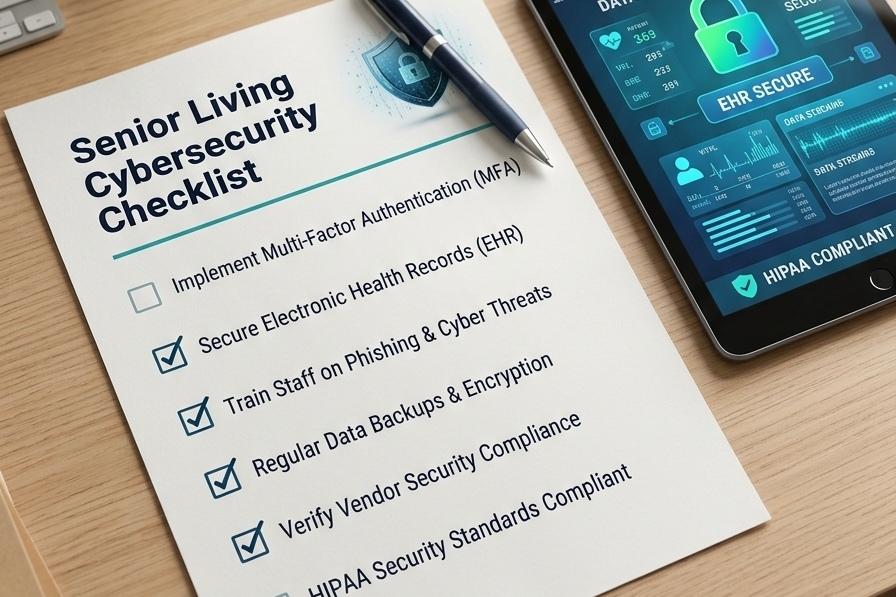
Senior living communities rely on connected technology every day. Employees use digital systems to manage operations, residents depend on WiFi for communication and entertainment, and connected devices support everyday services. As these systems become more interconnected, protecting networks, devices and sensitive information becomes increasingly important. Weak WiFi configurations, compromised employee accounts, and outdated devices can create security vulnerabilities, expose private information, and interrupt daily operations. Effective senior living cybersecurity requires more than antivirus software. Communities need secure wireless networks, controlled device access, reliable backups, and ongoing IT support. CSS supports senior living communities and provides technology services for more than 350,000 community residents. This experience gives CSS valuable insight into the connectivity and technology needs of senior living environments. This guide explores common cybersecurity risks, practical protection measures, and how CSS’s connectivity and managed IT services can support a more dependable technology environment. In this article Why Is Cybersecurity Important for Senior Living Communities? What Are the Biggest Cybersecurity Risks for Senior Living Facilities? A Practical Cybersecurity Checklist for Senior Living Communities How Can Senior Living Communities Secure Resident WiFi? How to Protect Connected Devices and Resident Information How Does Managed IT Improve Cybersecurity in Senior Living? A Real CSS Customer Success Story: Managing WiFi and Technology Costs Why Senior Living Communities Need an Experienced Technology Partner Make Cybersecurity Part of Everyday Technology Management Frequently Asked Questions Why Is Cybersecurity Important for Senior Living Communities? Cybersecurity protects the information, networks, accounts, and connected devices communities depend on. A security incident can expose sensitive data, disrupt technology access, and create extra work for employees. Communities that handle health information should also review HHS guidance on the HIPAA Security Rule. Senior living communities have several groups accessing their technology: Residents using personal phones, tablets, and laptops. Employees accessing workstations, email, and business applications. Visitors requiring temporary internet access. Vendors connecting to specific systems to provide services. Connected equipment communicating through wired or wireless networks. Each group has different access needs. Giving everyone unrestricted access to the same network increases security risks. For Example: Residents need internet access for personal use. Employees may need access to internal applications and business information. These environments should remain separate, with appropriate access permissions. Strong cybersecurity helps communities protect sensitive information and control network access. It also helps maintain the technology residents and employees rely on every day. What Are the Biggest Cybersecurity Risks for Senior Living Facilities? Many cybersecurity vulnerabilities come from everyday technology practices rather than sophisticated attacks. Here are six risks community leaders should review. Phishing Emails and Stolen Credentials Phishing messages trick employees into sharing passwords, opening malicious attachments, or visiting unsafe websites. Compromised accounts can give attackers access to business systems. Communities should use email security tools, enable multi-factor authentication (MFA), and train employees to recognize suspicious messages. Unsecured WiFi Networks Wireless networks connect residents, employees, visitors, and connected equipment. Poor configurations, default router credentials, and outdated encryption can expose these networks to unauthorized access. Communities should separate network access and restrict permissions according to each user’s responsibilities. Outdated Devices and Software Computers, tablets, printers, routers, and connected equipment require regular security updates. Unsupported devices may contain vulnerabilities that manufacturers no longer address. Maintain an equipment inventory, install updates promptly, and replace devices that no longer receive security support. Shared Accounts and Excessive Permissions Shared logins make it difficult to identify who accessed information or changed a system. Former employees and vendors may also retain unnecessary access. Use individual accounts, apply role-based permissions, and remove access when responsibilities change. Unprotected Backups Backups help communities recover from accidental deletion, hardware failure, and cyber incidents. However, unprotected backups can also be exposed or compromised. Maintain secure backup copies and regularly test recovery procedures. Unmanaged Connected Devices Untracked devices can introduce vulnerabilities when they connect without proper configuration or maintenance. This includes smart TVs, printers, shared workstations, and wireless access points. Communities should know which devices are connected, who manages them, and what access they require. RiskWhat it looks likeHow to reduce itPhishing emails and stolen credentialsEmployees share passwords or open unsafe attachmentsUse email security tools, phishing awareness training and MFAUnsecured WiFi networksDefault router credentials and outdated encryptionSeparate network access and restrict permissions by roleOutdated devices and softwareUnsupported equipment no longer receives security fixesInstall updates and replace unsupported devicesShared accounts and excessive permissionsShared logins; former employees and vendors keep accessProvide individual accounts and review permissionsUnprotected backupsBackups that can be exposed or compromisedMaintain protected backups and test recoveryUnmanaged connected devicesSmart TVs, printers and shared workstations connect without proper configurationMaintain a device inventory and assign ownershipSix common cybersecurity risks in senior living communities and how to reduce them A Practical Cybersecurity Checklist for Senior Living Communities Community leaders and IT teams can use this checklist to review existing security practices. Security AreaRecommended ActionPasswordsRequire strong, unique passwords and MFA.User accountsProvide individual accounts and appropriate permissions.WiFiSeparate resident, staff, guest and operational access.DevicesMaintain inventories and install security updates.EmailUse email protection and phishing awareness training.BackupsMaintain protected backups and test recovery.MonitoringReview unusual logins and suspicious activity.VendorsReview third-party access and remove unnecessary permissions.WorkstationsEnable screen locks and automatic logouts.Incident responseDocument reporting contacts and response procedures.Senior living cybersecurity checklist: security areas and recommended actions Assign responsibility for each task and review controls regularly, particularly when employees leave, vendors change, or new equipment is introduced. Not sure where your community stands? Request a free IT risk assessment and talk with our team about your WiFi, devices and support needs. Request a Free IT Risk Assessment How Can Senior Living Communities Secure Resident WiFi? Resident WiFi should provide convenient internet access without exposing internal business systems. A secure wireless environment combines network separation, strong encryption, updated equipment, and ongoing oversight. Communities should: Separate network access: Keep resident, staff, and guest connections appropriately separated. Use secure configurations: Apply current wireless security settings and strong administrative credentials. Update equipment: Install firmware updates and replace unsupported devices. Restrict internal access: Prevent general resident and guest access from reaching private business systems. Review connected devices: Identify unfamiliar connections and remove unnecessary access. Monitor activity: Investigate unusual connections and suspicious behavior. Good secure WiFi infrastructure must address both performance and protection. Residents need dependable internet in their rooms and common areas, while employees require connectivity that supports daily work. CSS provides managed WiFi for senior living, supporting community-wide and in-room connectivity. Its approach considers property infrastructure, wireless coverage, and the connectivity needs of residents and staff. Secure resident WiFi starts with clear network access and staff who can support residents with their devices. Should Staff and Residents Use Separate WiFi Networks? Yes. Staff and residents should have separate WiFi networks or properly segmented access. Residents generally need internet for personal devices and entertainment. Employees may require access to business applications and internal resources. Separating these environments helps prevent unnecessary access between users and devices. Connected operational equipment may also require additional network separation. Simply creating multiple WiFi names is not enough. The underlying network configuration must enforce the appropriate access restrictions. Community internet connection ResidentsPersonal phones, tablets and laptops StaffEmployee devices and business systems GuestsVisitor access kept apart from internal systems Operational devicesSmart TVs, printers, shared workstations and wireless access points Separate WiFi access for residents, staff, guests and operational devices, each with its own permissions. How to Protect Connected Devices and Resident Information Every device connected to a community network should be accounted for and maintained. This includes computers, tablets, printers, smart TVs, and other connected equipment. Practical safeguards include: Maintain an inventory of connected devices. Install security updates promptly. Replace equipment that no longer receives security support. Use individual accounts instead of shared logins. Enable screen locks and automatic logouts. Encrypt devices that store sensitive information. Remove employee and vendor access when no longer required. Securely erase information before equipment is reused or disposed of. Restrict administrative permissions to authorized personnel. Shared workstations deserve particular attention. Employees should sign out after completing their work rather than leaving accounts accessible to others. Communities should also identify which devices collect, store, or transmit sensitive information and apply appropriate safeguards. Strong senior living network security depends on knowing what is connected, who can access it, and how each device is maintained. How Does Managed IT Improve Cybersecurity in Senior Living? Managed IT provides ongoing oversight of the systems, devices and networks a community depends on. Instead of waiting for technology problems to interrupt operations, communities can receive regular maintenance, monitoring, and technical assistance. Managed IT support may include: Network and system monitoring. Endpoint protection and software maintenance. Email filtering and phishing defense. Multi-factor authentication support. Backup management and recovery assistance. Employee help desk support. Device management and troubleshooting. Security reviews and vendor coordination. CSS Managed IT includes a 24/7 help desk, proactive monitoring, cybersecurity support, backup and recovery, device management, and vendor coordination. This support helps senior living operators manage technology requirements without coordinating every issue independently. Communities can also request a free IT risk assessment to review their existing technology environment, identify areas requiring attention, and discuss support requirements. For operators seeking broader community technology support, CSS also provides assisted living technology solutions designed around the needs of residents and staff. Secure logins and managed technology help residents use everyday computer services with confidence. A Real CSS Customer Success Story: Managing WiFi and Technology Costs Cybersecurity discussions often focus on software and individual devices. However, the underlying network infrastructure also deserves attention. Communities need connectivity that supports residents and employees while keeping technology costs manageable. One CSS customer success story highlights a senior living operator spending approximately $15,000 per month on TV and internet costs while experiencing recurring technology issues. CSS implemented bulk DIRECTV and property-wide WiFi, eliminating individual internet bills. The operator was then able to redirect the freed-up funds toward resident wellness programming. Other CSS customer examples highlight the financial and operational value of coordinated technology services: Bella Vista: $48,000 Saved in One Year Bella Vista reduced its monthly TV and service costs from $7,500 to $3,500 after switching to DIRECTV through CSS. This represents a $4,000 monthly reduction and $48,000 in annual savings. Freit Management: 109 Communities CSS’s customer experience also includes Freit Management, representing a portfolio of 109 communities. Midwest Operator: $0 Monthly Community Spend Another CSS customer example highlights a Midwest operator achieving $0 in monthly community spend. These examples demonstrate how coordinated technology services improve connectivity and manage costs. They do not demonstrate reduced cyber incidents or breach prevention. “Strong businesses are built by investing in people. When you grow your team, you strengthen your ability to serve customers, solve challenges, and deliver lasting value. That's how we believe a business should grow.” — Dave Saenz, CEO of CSS Why Senior Living Communities Need an Experienced Technology Partner Senior living technology involves more than keeping devices connected. Communities need reliable services that support residents, employees, and everyday operations. What Customers Say About CSS “ We couldn’t be happier with our TV provider! Their customer service is truly exceptional. Anytime we have an issue, they jump on it immediately and make sure it gets resolved, even on weekends! Dave and Amelia are absolutely the best! What really sets them apart is that they take personal responsibility for every issue. You’ll never hear them say, “That’s not my department” or “Call the main number.” Instead, they take ownership, follow through, and make sure the problem is taken care of from start to finish. As a nursing home, having reliable TV service for our residents is extremely important, and knowing we have people like Dave and Amelia who genuinely care makes all the difference. It’s rare to find this level of dedication and customer service these days. Highly recommend! Heshie Katz Customer of CSS For operators seeking dependable support and senior living technology solutions, CSS brings multiple community technology services together. Make Cybersecurity Part of Everyday Technology Management Strong senior living cybersecurity requires more than antivirus software. It depends on secure WiFi, protected devices, controlled user access, reliable backups, and ongoing technology oversight. Communities should regularly review networks, monitor connected devices, maintain employee access controls, and assign clear responsibility for technology security. CSS provides managed IT services and community-wide WiFi to help operators manage the technology their residents and employees depend on. CSS understands the importance of dependable community connectivity. To discuss your community’s technology needs and explore available support, schedule a consultation. Frequently Asked Questions What does a senior living cybersecurity checklist include? It should cover WiFi security, employee accounts, device updates, network access, email protection, backups, vendor permissions, and incident response. Each area should have a clear owner and regular review process. What information should senior living communities protect? Communities should protect sensitive resident information, employee records, business documents, account credentials, and other data stored or accessed through their systems. Safeguards depend on the information involved and applicable requirements. Why should communities maintain an inventory of connected devices? An inventory helps IT teams identify connected equipment, determine who manages it and check whether it receives security updates. It also makes unfamiliar or unsupported devices easier to identify. Why are backup recovery tests important? Having backups does not guarantee successful recovery. Regular tests confirm that backup copies are accessible, usable and capable of restoring required information. What should communities look for in a senior living IT provider? Evaluate senior living experience, support availability, monitoring capabilities, backup and recovery processes, device management and clearly defined security responsibilities. Understand which services are included in the agreement. What should a senior living community do after a suspected cyberattack? Follow incident response procedures, contact the IT or security provider and take appropriate containment steps. Preserve evidence, assess potential data exposure and involve legal or compliance specialists where necessary. Evaluate applicable notification and reporting obligations if sensitive information may have been affected.
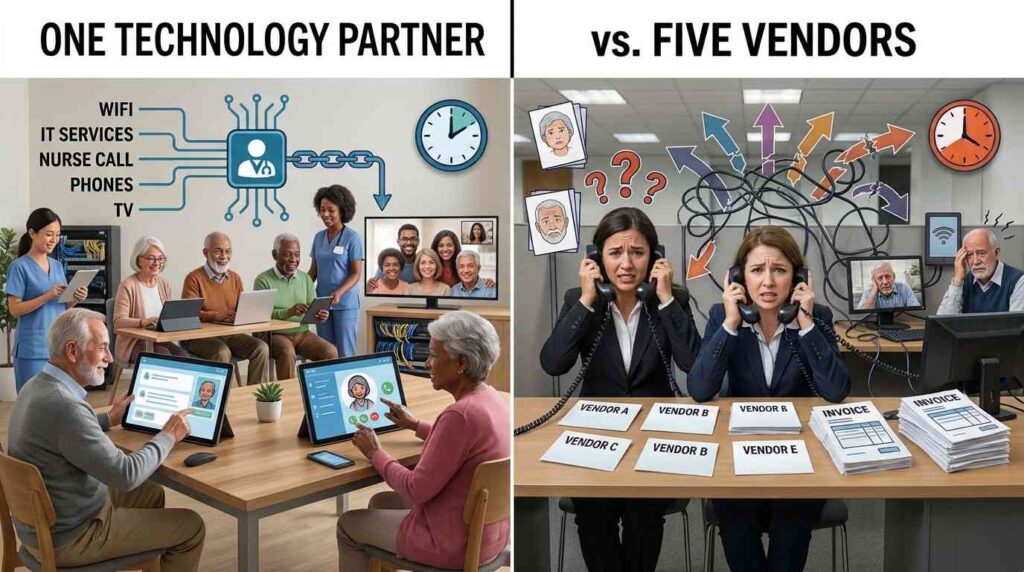
Senior living communities depend on technology every day. Residents use television and Wi-Fi to stay entertained and connected, while staff rely on IT infrastructure, phone systems, and nurse call technology to support daily operations.But these services often come from different providers. One company handles television, another manages Wi-Fi, and separate vendors look after IT, phones, and nurse call systems. Each may do its job well, but managing all those relationships can become complicated. Could working with a senior living technology partner make things easier? By bringing appropriate services under one coordinated relationship, communities can simplify support, improve communication, and reduce the administrative burden on their teams. “Senior living communities need technology they can depend on, backed by support they can trust. At CSS, our focus is on simplifying technology management and building lasting partnerships.” — Dave Saenz, CEO, CSS Why Do Senior Living Communities Use Multiple Technology Vendors? Most communities do not deliberately choose to work with five different technology providers. Their vendor relationships usually develop over time. A community might start with one provider for television. Later, it needs property-wide Wi-Fi, so it brings in another company. As its requirements grow, it may add managed IT, phone systems, and nurse call technology. Acquisitions, existing contracts, and differences in provider capabilities can also contribute to fragmented arrangements. The challenge is not necessarily that every system is unreliable. It is that managing the relationships between them takes time. For example, a network issue might affect more than one service. Staff may need to contact several providers, explain the same problem repeatedly, and work out who is responsible for resolving it. Without clear accountability, even a straightforward technical issue can involve unnecessary back-and-forth. The Hidden Cost of Managing Five Separate Vendors Technology expenses are relatively easy to identify. Communities can review invoices, contract terms, renewal dates, and service charges. The administrative cost of managing multiple providers is harder to measure. It includes time spent contacting support teams, following up on unresolved issues, arranging site visits, and coordinating installations. For executive directors, maintenance teams, and operations leaders, these tasks compete with responsibilities that directly support residents and employees. Some common challenges include: Unclear accountability: When an issue affects multiple systems, providers may investigate only their individual services. Community staff can end up coordinating the troubleshooting. Different support processes: Each provider may have its own help desk, escalation procedure, and response expectations. Separate contracts and billing: Multiple agreements mean more invoices, renewal dates, and service terms to oversee. Inconsistent service across locations: Different providers and local arrangements can make it harder for multi-community operators to maintain consistent support. More coordination during upgrades: Installing or replacing one system can affect other services, requiring communication between several technical teams. This is why vendor consolidation senior living operators consider it to be about more than reducing invoices. The real objective is to make technology easier to oversee. One Technology Partner Vs. Five Separate Vendors Managing technology across multiple vendors can create additional coordination work, particularly when responsibilities, support processes, and communication are not clearly defined. A single technology partner may offer a more coordinated approach, depending on the services provided and the agreement in place. Here is how the two approaches compare. AreaFive Separate VendorsOne Coordinated Technology PartnerCommunicationMultiple contacts and support teams may be involved.A more centralized point of contact may simplify communication.AccountabilityResponsibilities may be distributed across providers.Responsibility may be clearer for services covered by the agreement.SupportDifferent help desks and escalation processes may apply.Support may follow a more coordinated process.BillingSeparate invoices and service agreements.Potentially consolidated billing.Service ManagementIndividual providers manage their respective systems.Multiple services may be managed through one provider relationship.Multi-Community OperationsService arrangements may vary across locations.Greater opportunity to standardize services across communities.InstallationsCoordination may be needed between multiple providers.Installation coordination may be simpler when services fall within the provider's scope. Note: These are potential differences, not guaranteed outcomes. Actual arrangements depend on the provider's capabilities, service agreements, and the community's existing systems. What Does Industry Research Tell Us About Technology Challenges? Technology fragmentation is not just an operational concern for individual communities. Industry research also highlights the challenges of making different systems work together. The 2025 Argentum Technology Report identified interoperability as a major barrier to technology implementation in senior living. According to the report: 77% of surveyed senior living executives ranked interoperability among their top three technology implementation and management challenges. 74% ranked compatibility with existing infrastructure and devices among their top three challenges. These findings show why communities need to consider how new technology fits into their existing environment. A system may work well on its own but still create difficulties if it does not work effectively alongside other services. The report does not suggest that using fewer vendors automatically solves interoperability. It reinforces the importance of compatibility, communication, and collaboration when choosing technology providers. Source: 2025 Argentum Technology Report. What Are the Benefits of Consolidating Senior Living Technology Vendors? Bringing appropriate services under one provider relationship can make technology oversight more manageable. It does not mean replacing every system or forcing all services into one platform. Instead, it means reducing unnecessary fragmentation and establishing clearer responsibility for the services a provider manages. Potential benefits include: Clearer communication and accountability Staff have a more direct support relationship for services covered by the agreement. Responsibilities and escalation procedures can also be established more clearly. Less administrative work Fewer separate relationships can mean fewer contacts, invoices, renewal dates, and support processes to manage. More consistent support across locations Multi-community operators can work toward common service expectations and support processes across their properties. Better coordination during installations When a provider manages several services, its teams may be better positioned to coordinate related installation activities and reduce unnecessary disruption. Greater visibility into technology costs Consolidated agreements can make it easier to review service expenses and identify opportunities to simplify spending. These benefits depend on the provider's capabilities and the terms of the agreement. Communities should confirm which services are covered and how issues involving outside systems will be handled. Which Senior Living Technology Services Can One Provider Manage? A senior living technology partner may be able to manage several essential services through one coordinated relationship. The right combination depends on the community's requirements and existing infrastructure. These services may include: DIRECTV and resident entertainment Television remains an important part of the resident experience. CSS supports DIRECTV for senior living communities, with services designed around the needs of senior living properties. Property-wide Wi-Fi Reliable connectivity supports residents, visitors, and staff. CSS provides managed WiFi solutions for senior living to help communities address connectivity needs across their properties. Managed IT services IT infrastructure supports many daily operations. Having an experienced provider manage agreed IT services can help communities maintain their systems and address technical issues. Nurse call systems Nurse call technology supports communication between residents and care teams. Communities can explore nurse call technology for senior living as part of a broader technology approach. Business and resident phone systems Phone services remain essential for communication between staff, residents, families, and external contacts. Coordinating these services with other technology requirements can simplify oversight. Not every provider manages all these services directly. Communities should check service capabilities, system compatibility, and support responsibilities before consolidating agreements. A Real-World Example: Simplifying Technology Across 109 Communities CSS's Freit Management customer success story shows how consolidation can help multi-community operators. The organization was managing more than 100 cable agreements. Keeping track of separate arrangements made costs, service quality, and support more difficult to oversee. CSS helped standardize DIRECTV across 109 communities, bringing billing and support under a centralized arrangement. This gave the organization a more consistent approach to television service and a centralized support contact. The example demonstrates a practical benefit of consolidation: instead of managing more than 100 separate cable agreements, the organization could oversee its television service through a more coordinated arrangement. It is important to be precise about the results. This case study concerns DIRECTV standardization, billing, and support. It does not mean that all five technology categories were consolidated for this customer. For multi-community operators, however, the lesson is relevant. Standardizing services across locations can reduce administrative complexity and make technology easier to oversee. What Does a Customer Say About Working with CSS? The quality of a technology relationship matters just as much as the services a provider offers. Communities need responsive communication, practical solutions, and support that continues beyond installation. Garry Leonas shared his experience in a Google review displayed on CSS's senior living website. At the time of his review, his organization had worked with CSS for just over three years, with CSS serving more than 30 of its senior living communities. He highlighted the company's communication, budget-conscious solutions, installation coordination, and ongoing support. One part of his review captures the value of that relationship: "CSS is more than just a vendor, they are a partner working with us side by side." Garry Leonas, Google review displayed on CSS's website. This testimonial reflects our customer's experience and highlights the importance of responsive support, clear communication, and a long-term technology relationship. It is one customer's perspective, not a guarantee that every community will have the same experience. How to Choose the Right Technology Partner for Your Community Consolidating vendors is not automatically the right decision in every situation. Communities should first establish whether a provider can genuinely support their requirements. Before making a change, consider: Senior living experience: Does the provider understand resident needs, staff responsibilities, and the importance of minimizing disruption? Service capabilities: Can it manage the services you want to consolidate, or will separate specialists still be required? Clear responsibilities: Who handles support requests, and how are issues escalated? Existing infrastructure: Can the provider work with current equipment where appropriate? Transparent costs: Are installation charges, recurring fees, equipment, and contract terms clearly explained? Multi-community support: Can the provider maintain consistent service across different locations? A good senior living technology partner should understand the community's current environment before recommending changes. The goal is not to consolidate for the sake of having fewer vendor names. It is to create a more manageable technology operation. Less Vendor Complexity, More Time for Residents Senior living communities cannot afford to treat technology as a collection of unrelated services. Television, connectivity, communications, IT, and nurse call systems all contribute to daily operations and the resident experience. A more coordinated approach to technology management for senior living can simplify communication, improve visibility, and make essential services easier to oversee. At CSS, the focus is on helping communities bring DIRECTV, Wi-Fi, managed IT, nurse call, and phone services together through one provider relationship. This is the value of integrated senior living technology: coordinating appropriate services while considering how they fit into existing operations. CSS also provides senior living IT services as part of its broader offering. The right combination will depend on each community's systems, needs, and support requirements. If your team is managing multiple technology providers, it may be time to review where those relationships overlap and where a simpler approach could help. Ready to simplify your community's technology? Discuss your community technology needs with CSS and explore a solution built around your residents and operations. Frequently Asked Questions 1. What does a technology partner do for a senior living community? A technology partner helps a community manage agreed technology services. Depending on its capabilities, this may include television, Wi-Fi, IT, phone systems, and nurse call technology, along with installation and ongoing support. 2. Why do senior living communities have separate technology contracts? Technology needs often develop over time. Communities may select different providers for individual services, inherit agreements through acquisitions, or retain existing contracts because they meet specific requirements. 3. Can consolidating vendors reduce technology costs? It can create opportunities to simplify billing, review overlapping services, and improve visibility into spending. Actual savings depend on existing contracts, service requirements, and the provider's pricing. 4. Does vendor consolidation mean replacing existing systems? Not necessarily. A provider may be able to work with existing equipment and infrastructure where appropriate. Communities should review compatibility and replacement requirements before making changes. 5. Can one provider support multiple senior living communities? Some providers can support multi-community operators through standardized services, centralized billing, and coordinated support. Communities should confirm the provider's capacity and service arrangements. 6. What should communities check before signing a technology agreement? Review service coverage, support hours, escalation procedures, installation costs, recurring charges, contract terms, and responsibilities for systems managed by outside providers. 7. How can communities make technology easier for staff to manage? Start by reviewing existing providers, contracts, support processes, and recurring issues. Identify where responsibilities overlap and whether bringing appropriate services under a coordinated provider relationship would reduce administrative work.
Senior living communities face growing challenges, including staffing shortages, rising operating costs, administrative workloads, and aging infrastructure. At the same time, residents and families expect safe environments, personalized support, and compassionate care. AI in senior living offers opportunities to manage these demands more efficiently. By supporting routine tasks, analyzing operational data, and helping teams plan resources, AI can improve day-to-day operations without replacing the human relationships that make senior care meaningful. As interest in artificial intelligence grows, senior living communities are exploring ways to. As communities explore new approaches to operational efficiency, the right senior living technology solutions can help provide the connectivity and technology infrastructure needed to support their evolving needs. How AI Streamlines Senior Living Operations Artificial intelligence can support everyday tasks such as staff scheduling, facility maintenance, and inventory management. These applications help senior living operators organize resources, identify potential problems, and make more informed decisions. Modern senior living AI technology can help communities manage routine operational tasks more efficiently. However, the benefits depend on selecting appropriate tools and integrating them into existing workflows. Smart Workforce Management and Scheduling Staff scheduling can become complicated when communities face unexpected absences, changing resident needs, and overtime pressures. AI-assisted scheduling tools can analyze staff availability and staffing patterns to help managers identify coverage gaps. These systems may also help employees manage shift preferences and requests through digital platforms. Human managers must still consider resident needs, staffing requirements, and employee well-being when making final decisions. Predictive Facility Maintenance Unexpected HVAC failures, plumbing problems, and elevator breakdowns can disrupt daily operations and increase repair costs. Predictive maintenance tools can analyze equipment data and, where available, sensor readings to identify potential faults. Early warnings allow maintenance teams to investigate problems before they cause significant disruptions. Results depend on the equipment, available data, and the capabilities of the system, but predictive maintenance can support more proactive facility management. When evaluating AI for assisted living, communities should consider staff workflows, resident privacy, system reliability, and the need for human oversight. Food Service and Inventory Optimization Senior living dining teams must balance food budgets, resident preferences, allergies, and individual dietary requirements. AI-assisted forecasting tools can analyze previous meal attendance and purchasing patterns to help estimate inventory needs. Digital systems may also flag potential conflicts between meal selections and documented dietary restrictions when appropriate integrations are available. Staff must verify these alerts and ensure that meals comply with residents' care plans and dietary requirements. The Operational Impact of AI in Senior Living AI can help communities move from reactive problem-solving toward more informed operational planning. By analyzing relevant data, senior living AI technology can support resource allocation and help managers identify recurring issues. Operational areaTraditional approachAI-supported approachStaffingManual scheduling and adjustmentsSuggested schedules and coverage alertsMaintenanceRepairs after problems occurData-supported maintenance alertsInventoryManual tracking and estimated ordersDemand forecasting and digital monitoringAdministrationRepetitive paperworkAutomated documentation supportManagementInformation across separate recordsConsolidated operational insights These applications can help managers identify inefficiencies, reduce repetitive administrative work, and improve visibility across facilities. Actual results depend on software capabilities, data quality, staff adoption, and implementation costs. Communities evaluating senior living technology solutions should also consider whether their existing technology infrastructure can support reliable connectivity and compatible systems. Why AI Will Not Replace Caregivers in Senior Living A major concern surrounding AI adoption is the possibility of losing the human connection that defines quality senior care. Residents need empathy, reassurance, personal attention, and support that responds to their individual circumstances. AI for senior care should support caregivers, not replace them. Technology can help organize information and automate selected administrative tasks, but human judgment, emotional understanding, and personal relationships remain essential to quality care. When implemented effectively, AI-supported workflows may help staff spend less time on repetitive paperwork and more time engaging with residents. However, these benefits depend on how well the technology fits existing care routines. Meaningful connections: More efficient administration can create opportunities for conversations and activities. Attentive support: Caregivers can focus on residents' needs and preferences. Staff support: Better-organized workflows may help reduce certain administrative pressures. Personalized experiences: Reliable resident information can support more consistent care when used appropriately. The goal is not to automate every aspect of senior care. It is to use suitable technology to support staff while preserving the personal attention residents deserve. Key Risks of AI in Senior Living AI adoption requires careful planning because technology can introduce privacy, security, reliability, and operational challenges. Communities should assess these risks before implementing new tools. Data Security and Privacy AI systems may process sensitive resident or employee information. Communities should assess data-handling practices, access controls, encryption, vendor security, and applicable privacy requirements before adopting new tools. They should also understand how information is stored, who can access it, and whether data is shared with third parties. Over-Reliance on Automation AI recommendations can be inaccurate or based on incomplete information. Staff should verify important outputs, particularly those affecting resident care, dietary requirements, staffing, and safety. AI should inform decisions rather than automatically replace professional judgment or established safety procedures. Staff Training and Adoption New software can create additional work if employees do not understand how to use it. Practical training, staff feedback, and clear procedures can help communities integrate technology into existing workflows. Involving employees early can also help managers identify practical concerns before introducing a new system across the community. System Reliability Connected applications depend on functioning networks, devices, and software integrations. Facilities should assess connectivity requirements and establish appropriate backup procedures for essential operations. Technology planning should account for interruptions so staff can continue following established procedures when a system becomes unavailable. What Technology Infrastructure Is Needed to Support AI in Senior Living? AI software is only one part of a connected technology environment. Depending on the application, communities may need reliable commercial Wi-Fi, suitable network equipment, structured cabling, compatible devices, and secure software integrations. The infrastructure requirements vary by system. Before investing in new tools, communities should assess their current network capacity, security practices, device compatibility, and support arrangements. CSS helps senior living communities with commercial technology infrastructure and communications solutions that support their day-to-day technology needs. Reliable Commercial Wi-Fi Staff applications, connected devices, and digital management systems depend on appropriate network coverage and capacity. Poor connectivity can disrupt workflows and limit access to information. CSS provides reliable WiFi for senior living to support connectivity across residential areas, dining spaces, common rooms, and staff work areas. Communities considering additional connected applications should evaluate network coverage, capacity, and reliability before deployment. Connected Nurse Call Systems Nurse call systems are an important part of resident safety and caregiver communication. Depending on system capabilities and configuration, compatible systems can help route alerts to the appropriate personnel and support communication between residents and care teams. CSS offers nurse call systems for senior living to support communication needs in senior care environments. Communities should also consider system reliability, staff response procedures, and contingency planning. Any integration with other digital tools should be assessed for compatibility and tested before it becomes part of daily operations. Structured Cabling and Network Infrastructure Structured cabling and appropriate network equipment provide the physical foundation for connected systems. Proper planning helps communities accommodate current requirements and prepare for future technology upgrades. Facilities should evaluate network capacity, compatibility, security, and expansion needs before introducing additional connected applications. A well-planned infrastructure can also make future upgrades easier to manage. Technology for Assisted Living Facilities Assisted living communities have specific operational and communication requirements. Selecting appropriate technology means considering resident needs, staff workflows, building layouts, and the systems already in use. Explore technology for assisted living facilities to learn more about CSS's technology offerings for assisted living environments. Upgrade Your Community's Technology Infrastructure AI can help senior living communities manage selected tasks more efficiently, but dependable infrastructure is important for connected applications and communication systems to operate reliably. CSS provides commercial technology solutions for senior living environments, including Wi-Fi, nurse call systems, managed IT, and communications capabilities. Communities can assess their current infrastructure, identify areas for improvement, and plan upgrades around their operational needs. Ready to strengthen your community's technology foundation? Talk to CSS to discuss your senior living technology requirements. Frequently Asked Questions How is AI being used in senior living communities? AI can support staff scheduling, predictive maintenance, inventory forecasting, administrative documentation, and operational reporting. These applications help teams organize resources and identify potential issues while keeping staff responsible for important decisions. Can AI improve senior living operations? AI can support operational efficiency by identifying scheduling conflicts, helping forecast inventory needs, and assisting with maintenance planning. Results depend on data quality, suitable software, and effective implementation. Will AI replace caregivers in senior living? AI can support caregivers by automating selected administrative tasks, but it cannot replace the empathy, human judgment, personal relationships, and hands-on assistance essential to quality senior care. What are the risks of AI in senior living? Key risks include privacy concerns, cybersecurity vulnerabilities, inaccurate recommendations, insufficient staff training, and over-reliance on automation. Communities should establish safeguards, train employees, and retain human oversight. What technology infrastructure is needed to support AI in senior living? Requirements depend on the application but may include reliable commercial Wi-Fi, appropriate network equipment, structured cabling, compatible devices, and secure integrations. Facilities should also plan for system interruptions and essential communication needs. Can AI help senior living communities reduce operating costs? AI-assisted scheduling, inventory forecasting, and predictive maintenance can help managers identify inefficiencies. However, cost savings are not guaranteed and depend on implementation costs, system performance, and how effectively staff use the technology.
For senior living communities, WiFi is no longer simply a convenience. It has become essential infrastructure supporting resident communication, entertainment, staff workflows, and connected technology. Residents expect to stay connected with family, access online services, stream entertainment, and use smartphones, tablets, and other devices without constant connectivity problems. As these expectations grow, communities need to think beyond simply having an internet connection. Reliable senior living WiFi requires the right coverage, capacity, security, management, and ongoing support. Choosing managed WiFi for senior living communities can help operators build a dependable connectivity foundation for current and future technology needs. Why Is Reliable WiFi Important in Senior Living Communities? Reliable WiFi supports many everyday activities for residents and staff. Residents may use connectivity for video calls with family, streaming entertainment, messaging, online shopping, virtual activities, and other digital services. Staff may also depend on wireless connectivity for communication, mobile devices, digital workflows, and operational technology. When WiFi is unreliable, the impact can extend beyond a slow internet connection. Residents may struggle to connect with loved ones or access entertainment, while staff may experience interruptions in technology-dependent tasks. For this reason, connectivity has become an important part of the overall resident and staff experience. It also provides the foundation for many of the technologies communities use today. How Much WiFi Bandwidth Does a Senior Living Community Need? There is no universal bandwidth requirement for every senior living community. The appropriate capacity depends on factors such as the number of residents and staff, connected devices, property size, building layout, streaming activity, and peak usage. It is also important to distinguish internet bandwidth from WiFi capacity. A community can have a fast internet connection but still experience poor wireless performance if the network cannot handle the number of users and devices connecting at the same time. Effective senior living WiFi solutions should therefore be planned around actual usage. Communities looking for senior living internet solutions should consider not only internet speed but also WiFi coverage, network capacity, security, and ongoing management. Coverage and capacity both matter. A WiFi signal may reach a room or common area, but performance can still suffer when many devices are competing for network resources. Professional network planning considers user density, device demand, building materials, access-point placement, and areas where connectivity is most important. What Is Managed WiFi for Senior Living? Managed WiFi means the wireless network is professionally designed, configured, monitored, and supported instead of being treated as a one-time installation. Depending on the service, management may include network design, equipment configuration, monitoring, updates, cybersecurity, troubleshooting, and ongoing technical support. For senior living operators, this approach can reduce the burden of managing network infrastructure internally. It can also provide greater visibility into network performance and help address problems as they arise. CSS provides WiFi services designed around senior living environments, helping communities plan connectivity based on their property, users, and technology requirements. The goal is not simply to provide internet access but to create a reliable network that supports residents, staff, and connected technology throughout the community. Should Resident WiFi and Staff WiFi Be Separate? In many senior living environments, separating resident and staff network access is an important consideration. Residents, employees, guests, and connected devices can have different access requirements. Separate network environments or appropriate segmentation can help control access and manage different types of traffic. For example, residents and guests may use one network while staff and operational devices use another. Certain connected technologies may also require dedicated network segments. Network separation does not replace comprehensive cybersecurity, but it can provide an additional layer of control. The right configuration depends on the community's technology environment and should be determined as part of a professional network design. How Can Senior Living Communities Improve WiFi Coverage? Improving coverage starts with understanding how the network performs throughout the property. A professional assessment can identify weak-signal areas, interference, capacity concerns, and locations where additional infrastructure may be needed. Communities should consider resident rooms, hallways, dining areas, lounges, offices, activity rooms, and outdoor spaces where connectivity may be important. Access-point placement also matters. Simply adding more equipment does not automatically create a better network. Building materials, physical layout, user density, and expected demand all influence network performance. Ongoing monitoring is equally important. Resident device usage, staff workflows, and connected technology can change over time. Regular monitoring can help communities identify performance issues and determine when network capacity or configuration needs attention. WiFi Is the Foundation for Senior Living Technology Reliable connectivity supports much more than internet browsing. Smart TVs, mobile devices, communication tools, digital services, and other connected technologies all depend on a network capable of supporting their requirements. That makes WiFi an important foundation for broader senior living technology solutions. When communities evaluate new technology, the underlying network should be part of the conversation. A technology solution may work well on paper but deliver limited value if the network cannot reliably support it. Planning connectivity as part of the overall technology strategy can also make it easier to introduce new systems as community needs evolve. Entertainment is another important consideration. Services such as DIRECTV for senior living can provide familiar television programming in resident rooms and shared spaces, while reliable WiFi supports other connected devices and digital services. What About WiFi for Assisted Living Facilities and Nursing Homes? The requirements for WiFi for assisted living facilities and WiFi for nursing homes can vary based on property size, building design, number of users, and technology in use. Residents may rely on connectivity for communication and entertainment, while staff may use wireless devices and connected systems for daily tasks. This makes coverage, capacity, security, and ongoing management important considerations. When evaluating technology for assisted living communities, operators should consider both current requirements and future needs. A network designed specifically around the property can provide a stronger foundation than a basic setup that was never intended to support a high-density environment. How Can Communities Prepare WiFi for Future Technology? Technology requirements will continue to evolve. Communities may introduce additional connected devices, digital services, smart technology, and other systems that depend on reliable connectivity. Preparing for future needs does not mean predicting every technology a community will use. Instead, operators can focus on building flexible infrastructure with appropriate capacity, coverage, security, and management. A scalable network can make it easier to introduce new technology without requiring a complete redesign every time a community’s needs change. Build a More Reliable Connectivity Foundation Reliable WiFi is becoming an essential part of modern senior living infrastructure. Residents expect dependable connectivity for communication and entertainment, while staff increasingly rely on connected technology for daily operations. The right solution goes beyond internet speed. Coverage, capacity, security, network management, scalability, and technical support all contribute to a dependable connectivity environment. CSS works with senior living communities to plan, install, and support technology around the needs of their properties, residents, and staff. Its services include managed WiFi, entertainment, telecommunications, managed IT, and other technology solutions. If your community is experiencing connectivity challenges or planning an infrastructure upgrade, request a senior living technology consultation to discuss your requirements and explore the right solution. Frequently Asked Questions Why is reliable WiFi important in senior living communities? Reliable WiFi supports resident communication, video calls, streaming, smartphones, tablets, connected devices, and staff technology. As more everyday activities depend on connectivity, WiFi has become an important part of senior living infrastructure. How much WiFi bandwidth does a senior living community need? There is no universal requirement. Capacity depends on the community's size, number of residents and staff, connected devices, building layout, streaming activity, and peak usage. What is managed WiFi for senior living? Managed WiFi is a professionally designed and supported wireless network. Services can include network design, monitoring, cybersecurity, troubleshooting, and ongoing technical support. Should resident WiFi and staff WiFi be separate? Separate network access can provide greater control over network traffic and access. The appropriate configuration depends on the community's technology, security, and operational requirements. How can senior living communities improve WiFi coverage? Communities can start with a professional network assessment to identify coverage gaps, interference, capacity issues, and access-point placement requirements. Ongoing monitoring can then help maintain performance as needs change.
For many residents, TV is part of the daily routine: the morning news in the lounge, a ballgame in the dining room, and a favorite show in a private room. That makes the choice of service more than a technology decision. It affects how many rooms are covered, how much work lands on your maintenance team, and what happens when a resident's screen goes dark. This guide to cable vs satellite TV for senior living shows how each option behaves inside a real community, covering resident rooms, shared spaces, and staff workload. It will help you decide whether to keep, replace, or upgrade your current service. If you would like a broader look at what CSS offers, see its TV solutions built for senior-living communities. What Is Satellite TV vs. Cable TV When Your Building Has Dozens of Resident Rooms? The short answer to what is satellite TV vs. cable is this: cable TV reaches your building through a wired network run by a local provider, while satellite TV receives its signal through a dish and sends it through equipment on your property. In a single home, that difference is minor. In a senior-living building, it shapes the whole project: With cable, the questions are whether the provider serves your address and whether the wiring inside the building reaches every room that needs service. With satellite, the questions are whether a dish can go somewhere with a clear view of the sky, whether the property allows it, and how the signal travels from the dish to every wing, floor, and common area. In both cases, the in-building distribution matters as much as the signal source. A community with dozens of TVs spread across several wings is not buying "a TV package." It is buying a system that has to reach every one of those screens. Cable vs Satellite TV for Senior Living: Where the Differences Show Up in Your Building The table below compares the two options on the points that affect a senior-living property most. The right-hand column explains what each difference means in practice. FactorCable TVSatellite TVWhat it means for your communitySignal sourceWired network operated by a local providerSatellite signal received by a dishCable depends on local availability. Satellites depend on your site.Building requirementsCompatible wiring and a provider that serves your addressA suitable dish location and a clear signal pathOlder buildings may need wiring work with either option.Resident roomsCoverage depends on existing connections.Coverage depends on the distribution design.Ask how every room will be served, not just the lobby and lounges.Common areasLounges, dining rooms, and activity rooms need adequate connections.These areas need a system designed for the number of screens.Shared TVs are watched by many residents at once, so outages there are noticed quickly.InstallationMaybe simpler if suitable infrastructure exists.May involve dish placement and distribution planningAsk how work will be scheduled around residents' daily routines.Outdoor conditionsDepends on the provider's network and your wiringHeavy rain or snow can temporarily affect reception.Ask how the provider handles interruptions and who responds.Equipment and upkeepProvider equipment plus in-building wiringDish, receivers, and distribution equipmentClarify who maintains what before you sign.Total costService rates, equipment, installation, contract termsProgramming, equipment, installation, contract termsMonthly price alone does not show the full cost. Pros and Cons of Cable and Satellite TV The cable vs. satellite TV for senior living pros and cons look different depending on who is affected: residents, the maintenance team, or the budget. Cable TV: Where It Helps and Where It Can Create Work Where It Helps Existing wiring can shorten the project. If the building is already connected and the infrastructure is in good shape, upgrading may involve less disruption than a new installation. Residents may already know the setup. Familiar channel layouts and remotes can reduce the calls staff get from residents who are learning a new system. It can fit a building built around cable. In some properties, the layout already supports it. Where It Can Create Work Availability depends on your provider. If the local network does not meet your needs, the choice is limited. Aging wiring can become a repair issue. A weak connection in one wing can leave a block of rooms without service. Adding or moving TVs may mean more installation work. This matters when you renovate or add units. Contract terms and equipment charges add to the total. Review them closely. Satellite TV: Where It Helps and Where It Can Create Work Where It Helps It offers an option where cable falls short. If cable service is unavailable or does not meet your needs, satellite widens your choices. It can be designed around your property. A well-planned system can serve resident rooms and shared spaces from one set of equipment. It works in commercial settings. Many providers, including CSS, support multi-room properties. Where It Can Create Work You need a suitable dish location. Rooflines, trees, nearby structures, and property rules can all affect placement. Heavy precipitation can briefly affect reception. Staff should know who to call and how quickly the provider responds. Larger communities need careful system design. An undersized system can leave some rooms with weaker service. Equipment and maintenance responsibilities need clarity. Decide who handles what before problems arise. The Takeaway: the best option is the one whose weaknesses your building can manage. A property with an ideal dish location may find satellite straightforward. A property with strong cable wiring may find cable simpler. 5 Things to Check Before Choosing a TV Provider Before choosing cable, satellite, or streaming for your senior-living community, consider your building's needs, costs, and residents' experience. 1. Count Every Screen List TVs in resident rooms and shared spaces to ensure providers quote for all required screens. 2. Assess Your Building Check existing wiring, equipment space, and suitable dish locations before installation. 3. Compare Total Cost, Not Monthly Price Request written quotes that cover the same items: Cost itemWhat to confirmInstallationWhether wiring, dish placement, and configuration are includedEquipmentWhat hardware is needed, and who owns and maintains it?Monthly serviceWhat recurring charges apply for your number of TVs?ProgrammingWhether the package covers what residents expectMaintenanceWhich repairs and visits are included or charged separately?Contract termsLength, renewal conditions, and cancellation feesFuture changesThe cost of adding, moving, or removing TVs 4. Check Support and Maintenance Ask who handles outages, how quickly support responds, and what staff must manage. 5. Consider Residents' Needs Ensure channels are available, remotes are easy to use, and features such as closed captioning are accessible. For more detail, read our guide on how to choose the right TV service for your assisted living facility. Cable vs Satellite vs Streaming: What Changes When Your Wi-Fi Carries the TV The cable vs satellite vs streaming question adds something different. Streaming does not rely on a cable network or a dish. It delivers TV over your internet connection, which means your network becomes part of the TV system. ConsiderationCableSatelliteStreamingDeliveryCable networkSatellite signalInternet connectionMain building concernProvider availability and wiringDish placement and distributionInternet capacity and coverage in every roomEquipmentProvider equipment and in-building wiringDish, receivers, and distributionCompatible TVs or streaming devicesWhat staff may manageWiring and provider coordinationEquipment and signal issuesDevices, apps, logins, and network issues Before choosing streaming, ask: Can your network support many screens at once? Several rooms streaming at the same time use more capacity than one household would. Is Wi-Fi strong in every resident room and common area? Dead spots can mean buffering or dropped video. If coverage is a concern, review CSS's Wi-Fi solutions for senior-living communities before you commit to a streaming-based setup. Who manages the devices? Updates, logins, and replacements need an owner. Does the offering match what residents expect to watch? Live channels, on-demand content, and traditional packages differ. Streaming is not automatically cheaper or simpler. Network upgrades, devices, subscriptions, and support all count toward the total. To weigh internet-delivered TV against a dish-based service, compare DIRECTV streaming and satellite TV for senior living. Which TV Service Fits Your Community The honest answer to whether satellite TV vs. cable which is better is that it depends on your property. These four situations show how the decision tends to play out. Your Cable Service Works, and Your Wiring Is Sound Compare the cost of keeping or upgrading it against the full cost of a switch. If residents and staff are satisfied, a new technology has to justify the disruption. The Cable Is Limited Or Does Not Meet Your Needs Satellites may be worth investigating, provided the building has a suitable dish location. Ask the provider to show how the system will reach every room and shared space. You Are Weighing Streaming Begin with a network review. If your Wi-Fi cannot support the number of screens, solve that first, and plan for who will manage devices. You Operate Multiple Buildings or a Large Campus Prioritize consistency across properties, a clear maintenance plan, and a single point of contact for support. A mix of systems can multiply the work for your team. In every case, the better option is the one that meets your operational needs at a total cost you can accept. Next Step: Review Your Community's TV Setup With CSS Choosing a TV system is easier when someone looks at your property's layout, current equipment, and number of screens. CSS works with senior-living communities to plan TV solutions around their properties, whether you are reviewing a cable agreement, exploring DIRECTV, or considering streaming. If you are deciding whether to keep, replace, or upgrade your service, talk with CSS about your community's TV needs. Frequently Asked Questions Is cable or satellite TV better for senior-living facilities? Neither is better for every facility. Cable may suit a property with compatible, well-maintained wiring. Satellite may be worth considering when cable availability or coverage is a problem and a suitable dish location exists. Compare installation, programming, total cost, and support before deciding. How much does satellite TV cost compared to cable for a nursing home? There is no single price. Cost depends on the number of TVs, equipment, installation, programming, support, and contract terms. A community with working cable may face different costs from one that needs a new system. Request written quotes based on identical requirements. Can a senior-living facility switch from cable to DIRECTV? In many cases, yes, but the process depends on the property. Your wiring, number of TVs, building layout, equipment, and current cable agreement all matter. Review your existing contract before making changes, and ask for a site assessment. What should we check before installing satellite TV? Confirm that the building has a suitable dish location and a clear signal path, that property rules permit the installation, and that there is a plan for delivering programming to every resident room and shared space. Also review equipment, maintenance responsibilities, and ongoing costs. Is streaming a realistic alternative to cable or satellite? It can be if your internet capacity, Wi-Fi coverage, and device management can support it. Consider how many screens will stream at once and who will handle support. How do TV and internet planning fit together? Streaming depends on your network, and many communities rely on the same network for resident communication and staff work. Reviewing TV and internet together helps you avoid solving one problem while creating another.
Senior living is evolving as Baby Boomers bring new expectations for technology, connectivity, entertainment, and convenience. Having spent much of their lives adapting to digital technology, many Baby Boomers are already comfortable with smartphones, streaming services, video calls, online services, and connected devices. As this generation considers senior living, reliable technology can become an important part of the resident experience. Fast WiFi, familiar entertainment, easy communication, and dependable infrastructure can help communities feel more connected and convenient. For operators, this means technology deserves attention alongside traditional amenities and services. CSS supports senior living communities with managed WiFi, DIRECTV entertainment, managed IT, telecommunications, nurse call, security, and related technology solutions. What Technology Do Baby Boomers Expect in Senior Living? Many Baby Boomers are already familiar with smartphones, tablets, streaming platforms, video conferencing, online services, and connected devices. Because these technologies are part of everyday life, residents and their families may consider technology when evaluating senior living communities. Some common expectations include: Reliable high-speed WiFi throughout the community Modern television and entertainment options Easy ways to communicate with family and friends Reliable connectivity in apartments and common areas Access to digital activities and services Simple, easy-to-use technology These baby boomer senior living expectations show why technology can be viewed as part of the resident experience rather than simply an operational requirement. The goal isn't to add technology for the sake of being modern. Communities should focus on practical solutions that make communication, entertainment, and everyday activities easier. CSS helps communities address these needs with technology solutions designed around connectivity, entertainment, communications, IT, and infrastructure. Top Senior Living Technology Trends in 2026 The technology in the assisted living 2026 landscape is being shaped by several areas that directly affect residents and community operations. 1. High-Speed WiFi Is Becoming Essential Reliable WiFi supports video calls, streaming, smartphones, tablets, virtual activities, and connected devices. For residents, poor connectivity can quickly become a daily frustration. A senior living network may need to support apartments, common areas, dining spaces, activity rooms, offices, and other parts of the property. Communities therefore need to think about coverage, capacity, security, and ongoing management. CSS provides managed WiFi for senior living to help communities maintain dependable connectivity as resident and operational technology needs grow. 2. Smart Home Technology Is Expanding Smart-home features can add convenience through connected lighting, thermostats, voice controls, and digital access systems. However, smart senior living communities should not focus on smart devices at the expense of the fundamentals. Reliable WiFi, security, entertainment, communications, and IT support remain essential. The most useful technology is technology that residents can understand and use without unnecessary complexity. 3. Connected Entertainment Is Becoming More Important Entertainment remains an important part of senior living, and Baby Boomers are bringing familiar television habits alongside newer digital viewing preferences. CSS serves as a DIRECTV authorized dealer for senior living help communities provide DIRECTV entertainment solutions suited to senior living environments. For independent living communities, DIRECTV for independent living communities can provide residents with familiar television entertainment while fitting into the broader technology and amenities strategy. Why Is WiFi Essential in Senior Living Communities Now? WiFi has become an important part of daily life for many residents. It can support everything from family video calls and streaming entertainment to online shopping, messaging, virtual activities, and connected devices. Residents may use community WiFi to: Video call children and grandchildren Stream movies and television Use smartphones, tablets, and laptops Participate in virtual activities Connect smart devices Manage online accounts Stay connected through social platforms Staff also rely on connectivity for communication and operational technology. This makes network coverage and reliability important considerations for operators. A strong network can support both resident expectations and the technology used behind the scenes. CSS's managed WiFi solutions help communities approach connectivity as an ongoing technology service rather than a one-time installation. How Is Technology Improving Senior Care in 2026? Technology can support both resident experiences and senior living operations. Communication systems can help staff coordinate services, while digital tools can help residents remain connected with family and participate in activities. Technology can also support convenience and independence. Connected controls, digital communication, entertainment systems, and accessible online services can make certain everyday tasks easier. Behind these resident-facing experiences are technologies such as telecommunications, nurse call systems, security infrastructure, and IT networks. CSS supports senior living communities with technology solutions across these areas, helping operators consider both what residents see and the infrastructure supporting it. Technology should complement personal interaction and professional care, not replace them. Its value comes from making communication, access, safety, entertainment, and daily operations more connected. What Smart Home Features Are Senior Living Communities Adding? Smart technology can vary from one community to another. Some communities may introduce features such as: Smart Lighting Connected lighting can provide convenient control and can be incorporated into smart-room systems. Smart Thermostats Smart thermostats can give residents convenient control over their environment while providing another connected building-management option. Smart Access Digital access systems can provide convenient entry for residents, staff, and authorized visitors while supporting existing security procedures. Voice-Controlled Technology Voice-controlled devices can provide hands-free interaction with compatible technology and may appeal to residents who prefer simple controls. Connected Entertainment Smart TVs and connected entertainment systems can provide familiar ways for residents to access television and digital content. The key is to choose features based on actual resident needs and the community's ability to support them. Smart technology is most useful when the underlying network and IT infrastructure are dependable. Senior Living Amenities Residents Expect Are Changing Traditional amenities such as dining, fitness, social activities, outdoor spaces, and wellness programs remain important. Technology can complement these amenities by making them easier to access and use. For example, communities can use technology to share activity schedules, provide virtual fitness programs, offer entertainment in common areas, and support communication with families. Reliable WiFi and television entertainment can also become part of the everyday experience residents associate with their community. This means technology increasingly fits into the broader package of senior living amenities residents expect. For Baby Boomers who already use digital services at home, basic connectivity and familiar entertainment may feel like natural extensions of their existing lifestyle rather than unusual extras. What Should Senior Living Operators Prioritize? With so many technology options available, operators don't need to adopt every new trend. A practical strategy starts with the fundamentals. 1. Network Coverage Reliable connectivity should reach resident apartments, common areas, offices, and other important spaces. 2. Ease of Use Technology should be straightforward for residents and staff to understand and use. 3. Entertainment Access Communities should consider familiar entertainment options that align with resident preferences. CSS's DIRECTV solutions can support this part of the resident experience. 4. Security and Reliability Technology needs to be protected, monitored, maintained, and supported over time. 5. Ongoing Technical Support Communities should have access to troubleshooting, maintenance, and technical expertise as their technology environment evolves. These priorities help operators focus on technology that provides practical value rather than simply adding more devices. Why Senior Living Communities Need Strong IT Infrastructure As communities add more connected technology, their underlying IT infrastructure becomes increasingly important. Resident apartments, offices, common areas, entertainment systems, security systems, network equipment, and other technologies may all depend on reliable infrastructure. For communities that need additional technical support, managed IT for senior living can provide a structured approach to maintaining technology infrastructure. CSS supports senior living communities with managed IT alongside managed WiFi, telecommunications, entertainment, nurse call, security, and other technology solutions. This broader approach can help operators manage the technology behind the resident experience while reducing the burden of handling multiple systems independently. Technology Should Enhance the Resident Experience The purpose of technology in senior living isn't to make communities more complicated. It should make everyday experiences more convenient. Reliable WiFi can help residents stay connected. Familiar television entertainment can provide an easy source of relaxation. Communication technologies can support connections with family, while dependable IT infrastructure helps keep essential systems operating. For operators, the key is to select technology based on real resident needs and the community's ability to support it. CSS can help bring these different technology needs together, from connectivity and DIRECTV entertainment to IT, telecommunications, nurse call, and security solutions. Preparing for the Future of Senior Living Technology As Baby Boomers bring their digital habits into senior living, communities have an opportunity to rethink what residents expect from technology. Reliable connectivity, familiar entertainment, simple smart features, communication tools, and dependable IT infrastructure can all contribute to a more connected community. The shift isn't necessarily about adding more technology. It is about providing technology that residents can use comfortably and that operators can manage reliably. CSS supports this approach with solutions across managed WiFi, DIRECTV entertainment, managed IT, telecommunications, nurse call, security, and related senior living technology needs. As a DIRECTV authorized dealer for senior living, CSS can also help communities incorporate familiar television entertainment into the resident experience. Ready to Upgrade Your Senior Living Technology? If your senior living community is looking to improve WiFi, enhance entertainment, or strengthen its IT infrastructure, CSS can help you explore solutions suited to your community's needs. From managed WiFi for senior living and managed IT for senior living to DIRECTV entertainment and other technology solutions, CSS can help communities build a more connected experience for residents and staff. Contact CSS today to discuss your senior living technology requirements and explore solutions for connectivity, entertainment, communications, and IT infrastructure. FAQs What technology do Baby Boomers expect in senior living? Baby Boomers may expect reliable WiFi, modern entertainment, connected devices, smart-home features, and easy ways to communicate with family and friends. What are the top senior living technology trends in 2026? Key trends include high-speed WiFi, connected entertainment, smart technology, telecommunications, and stronger IT infrastructure. Why is WiFi important in senior living communities? Reliable WiFi supports video calls, streaming, online activities, smart devices, and everyday digital services used by residents and staff. How is technology improving senior care in 2026? Technology can support communication, convenience, resident engagement, and access to digital services while also supporting staff and community operations. What smart-home features are senior living communities adding? Communities may add smart lighting, smart thermostats, digital access systems, voice-controlled technology, and connected entertainment depending on resident needs and available infrastructure.