
If you have signed up for internet-delivered television services recently, you may have noticed that DIRECTV’s hardware lineup looks significantly different. The older, desktop-style DIRECTV Stream Box (often referred to as the Osprey C71KW device) has officially been phased out as the primary receiver in favor of the sleeker DIRECTV Gemini Air. Navigating hardware transitions can be confusing, especially when choosing the right media players and channel options for your setup.
Whether you are looking for an all-in-one entertainment hub for a single room or exploring popular lineup tiers like the DIRECTV Entertainment Package, understanding how this hardware performs is essential for getting the best viewing experience. Standard residential gear often falls short in larger, multi-room environments, making a clear hardware strategy critical for long-term performance and reliability across your property.
Here is a comprehensive look at what changed in 2026, how the hardware compares, and how to determine which solution best suits your entertainment infrastructure.
What Is the DIRECTV Gemini Air?
When examining what DIRECTV Gemini Air is, it helps to look at its compact design and updated architecture. The device is a small, high-performance DIRECTV streaming device designed to plug directly into a television’s HDMI 2.1 port. Built specifically for internet-delivered TV (including both DIRECTV via Internet and DIRECTV STREAM), it converts any HD or 4K television into a unified media hub.
Powered by Android TV, Gemini Air DIRECTV hardware bridges the gap between traditional cable channel surfing and modern app-based streaming. Unlike generic media sticks, the Gemini Air includes a custom, voice-activated remote control featuring a physical numeric keypad. This allows viewers to tune directly to channel numbers, access an interactive program guide, and launch third-party streaming applications like Netflix, Prime Video, Max, and YouTube without switching TV inputs.
Why DIRECTV Replaced the Stream Box
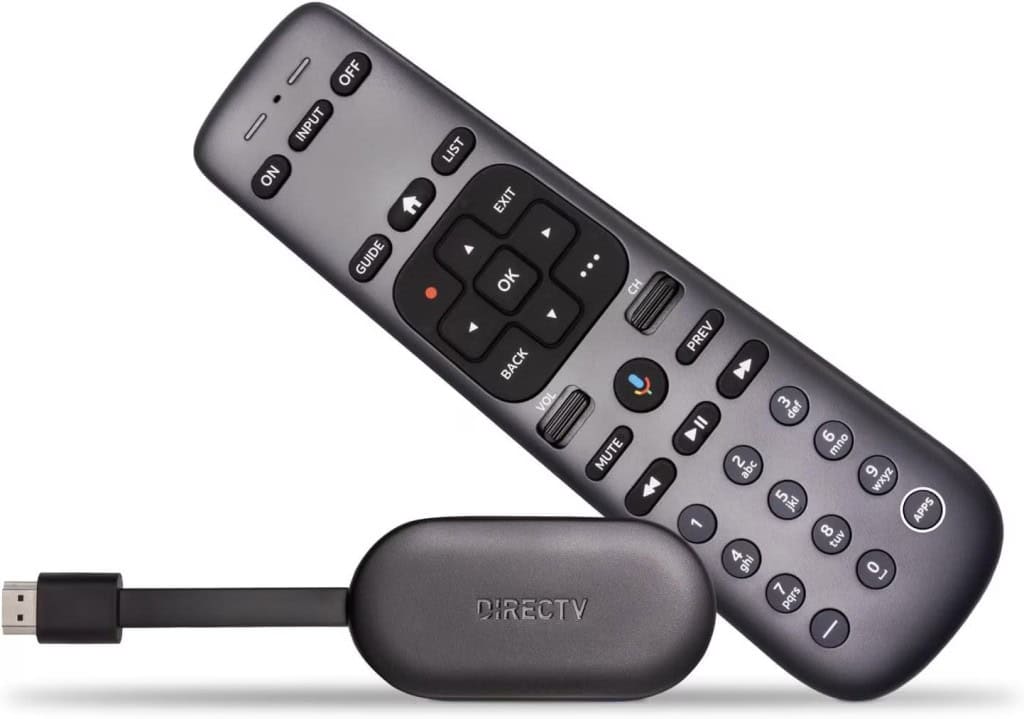
Subscribers frequently ask: Is DIRECTV Gemini Air replacing the Stream Box for good? For many DIRECTV via Internet customers, Gemini Air represents the newer hardware option replacing the older Stream Box experience.
The hardware transition was driven by several key factors:
- Aesthetics and Space Savings: Modern residential users prefer minimalist entertainment centers without visible set-top boxes, extra cables, or media shelf clutter. The Gemini Air hangs out of sight directly behind the TV screen.
- Upgraded Processing Power: The Gemini Air features enhanced internal memory and an upgraded system-on-chip (SoC), providing noticeably faster app load times, smoother menu scrolling, and faster channel switching compared to the older Osprey box.
- Optimized Wireless Performance: Equipped with improved dual-band Wi-Fi antennas, the Gemini Air maintains stable signal retention for high-bitrate 4K HDR streams without requiring bulky external housing.
- Logistical Efficiency: The lighter, smaller footprint of the dongle format dramatically reduces packaging materials, shipping costs, and storage overhead for self-install kit deliveries.
Key Hardware and Feature Differences
When evaluating DIRECTV Gemini Air vs Stream Box, several hardware distinctions stand out. If you are wondering what is the difference between DIRECTV Gemini Air and Stream Box, the comparison comes down to form factor, connectivity, and internal hardware capabilities.
| Feature / Specification | Legacy DIRECTV Stream Box (Osprey C71KW) | DIRECTV Gemini Air |
| Form Factor | Tabletop set-top box | Micro HDMI dongle (plugs into TV back) |
| Network Connectivity | Wi-Fi & Integrated RJ-45 Ethernet Port | Wi-Fi Only (802.11ac dual-band) |
| Placement & Mounting | Requires physical shelf/table space | Hides completely behind the TV |
| Video & Dynamic Range | 1080p / 4K HDR10 | Enhanced 4K HDR10, HLG, & Dolby Vision |
| Hardware Performance | Standard processing & UI responsiveness | Accelerated app execution & faster channel tunes |
| Remote Control | Custom DIRECTV Voice Remote | Upgraded Ergonomic Voice Remote with Google Assistant |
| Primary Audience | Legacy DIRECTV STREAM users | Modern DIRECTV via Internet subscribers |
While the legacy Stream Box provided a hardwired RJ-45 Ethernet connection out of the box, the Gemini Air shifted entirely to high-speed wireless streaming. For users who still require wired connections, specialized USB-C Ethernet adapters can be added, but the device is engineered primarily to maximize Wi-Fi efficiency.
Step-by-Step Setup and Installation Guide
Knowing how to set up DIRECTV Gemini Air ensures a fast and hassle-free installation. The DIRECTV Gemini Air setup process is completely self-guided, eliminating the need to schedule a service appointment or wait for an installation technician.
- Connect the Hardware: Insert the Gemini Air’s integrated HDMI connector into an available HDMI port on your television. Connect the included USB power cable to the power adapter and plug it into a standard wall outlet.
- Select the Input: Turn on your TV and use the original TV remote to switch the input source to the corresponding HDMI port.
- Pair the Remote: Pull the plastic battery tab out from the back of the DIRECTV voice remote. Point the remote at the device and follow the on-screen prompt holding the Fast Forward and Rewind buttons together for 2–3 seconds to complete Bluetooth pairing.
- Connect to Wi-Fi: Select your local 2.4 GHz or 5 GHz Wi-Fi network name from the on-screen list and enter your wireless password.
- Authenticate Your Account: Log in using your DIRECTV User ID and password. Optional: Sign in with a Google account to enable advanced voice commands, personalized recommendations, and access to additional apps on the Google Play Store.
Internet and Bandwidth Requirements

Subscribers frequently wonder: Does DIRECTV Gemini Air require Wi-Fi to stream live television? Yes, the Gemini Air relies on a stable wireless internet connection to deliver video streams.
Because the device streams live broadcast feeds alongside high-definition and 4K on-demand content, adequate internet speed is necessary. DIRECTV recommends a minimum download speed of 8 Mbps per stream for standard high-definition content.
However, if you plan to stream live sports or 4K Ultra HD content across multiple televisions simultaneously, maintaining a total household network capacity of 25 Mbps to 50 Mbps or higher is strongly advised to prevent video buffering or quality degradation. In multi-unit facilities or high-density residential properties, services like Managed WiFi for Senior Living provide dedicated bandwidth allocation to prevent network congestion.
Features and Benefits for Residential Users
The Gemini Air offers several distinct advantages for standard household viewing environments:
- Channel-Number Familiarity: Viewers can enter channel numbers directly on the remote control, retaining the intuitive experience of traditional cable or satellite TV.
- Universal Google Assistant Voice Control: Search for content across live television channels, recorded shows, and installed streaming services using simple voice commands.
- Unlimited Cloud DVR Storage: Record live games, movies, and TV series with unlimited Cloud DVR capacity, keeping recordings stored safely for up to nine months.
- Unified Viewing Library: Access live channels, recordings, and third-party streaming services directly from a single home screen, removing the need to switch input modes.
Commercial and Enterprise DIRECTV Considerations
Gemini Air works well in homes, but places like hotels, senior living communities, assisted living facilities, and old age homes need commercial DIRECTV solutions. Using residential streaming devices in these properties can create problems with Wi-Fi, remote controls, channel access, and commercial licensing. A commercial DIRECTV setup makes it easier to manage DIRECTV services across multiple rooms and common areas.
Tailored commercial setups address these specific operational requirements:
- Senior Living & Care Facilities: Assisted living and memory care environments require streamlined, manageable interfaces. Deploying specialized setups through DIRECTV for Senior Living Communities delivers tailored channel lineups, simplified remotes, and integrated messaging capabilities.
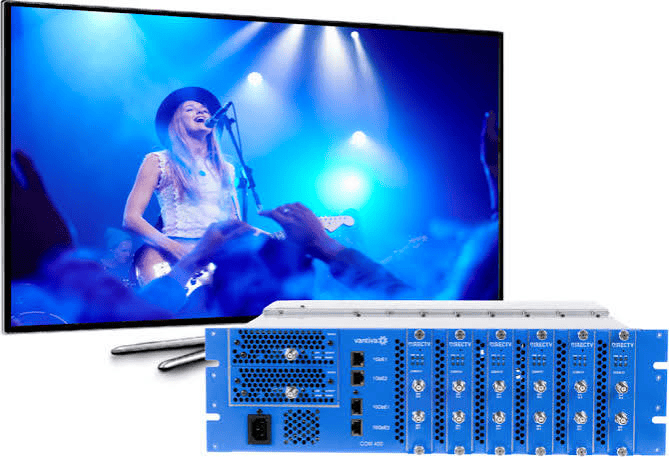
- Hotels & Hospitality Properties: Guest properties require centralized headend distribution systems (such as COM3000 or DIRECTV Residential Experience) rather than consumer streaming logins. To ensure your facility delivers a seamless guest experience, explore options like DIRECTV Hospitality TV Solutions designed specifically for commercial multi-screen environments.

Choosing the Right DIRECTV Solution for Your Property
The transition from the DIRECTV Stream Box to the DIRECTV Gemini Air represents a major step forward for home entertainment, delivering 4K HDR viewing, faster performance, and traditional channel-number navigation in a compact device that stays hidden out of sight.
While the Gemini Air provides an ideal, self-install wireless solution for residential households, commercial property managers and hospitality operators must look beyond consumer streaming hardware. Ensuring network stability, regulatory compliance, and seamless multi-screen management requires enterprise-grade infrastructure.
Ready to upgrade your entertainment system with zero hassle? Contact CSS for DIRECTV Solutions today to get expert guidance, custom channel lineups, and commercial-grade equipment built to elevate your property’s viewing experience.
Frequently Asked Questions
What is DIRECTV Gemini Air?
DIRECTV Gemini Air is a compact, wireless streaming dongle that plugs directly into a TV’s HDMI port. It delivers live TV, Cloud DVR, and third-party streaming apps using an Android TV interface controlled by a voice remote with traditional channel numbers
Is DIRECTV Gemini Air replacing the Stream Box?
Yes. DIRECTV has phased out the older, desktop-style Stream Box (Osprey C71KW) as the primary receiver for internet-based TV subscribers, replacing it with the smaller, faster Gemini Air dongle.
What is the difference between DIRECTV Gemini Air and Stream Box?
The main differences involve form factor, connectivity, and performance. The Stream Box is a tabletop device with an Ethernet port, whereas the Gemini Air is an HDMI dongle that operates over Wi-Fi and features an upgraded processor for faster navigation and enhanced 4K HDR playback.
How do I set up DIRECTV Gemini Air?
Plug the Gemini Air into a TV HDMI port, connect its power supply, set your TV to that HDMI input, and follow the on-screen prompts to pair the remote, connect to Wi-Fi, and log in with your DIRECTV account.
Does DIRECTV Gemini Air require Wi-Fi?
Yes. Unlike the legacy Stream Box, the Gemini Air operates wirelessly and requires a stable Wi-Fi network with a recommended minimum speed of 8 Mbps per device.
Can I use DIRECTV Gemini Air in a commercial or multi-room facility?
Gemini Air is primarily designed for residential DIRECTV experiences. Commercial properties usually require specialized solutions with appropriate licensing, centralized management, and infrastructure.